CLI Overview
Use the chkit CLI to define ClickHouse schemas in TypeScript or Python, review migrations, and check for drift. Add @chkit/plugin-ingest to run TypeScript API readers against those tables.
Commands
Section titled “Commands”| Command | Description |
|---|---|
chkit init | Scaffold a new project with config and example schema |
chkit add | Copy a provider template and wire its schema and ingestion exports into a TypeScript project |
chkit registry | Browse apps and integration guides, inspect sync coverage, or build source templates |
chkit generate | Diff schema definitions against the last snapshot and produce migration SQL |
chkit migrate | Apply pending migration files to ClickHouse |
chkit status | Show migration status (total, applied, pending, checksum mismatches) |
chkit drift | Compare snapshot against live ClickHouse and report differences |
chkit check | Run policy checks for CI gates (pending, checksums, drift, plugins) |
chkit snapshot | Rebuild snapshot.json from schema definitions, for example after a merge conflict (TypeScript only) |
chkit query | Run an ad-hoc SQL query against the configured target |
chkit pull | Introspect live ClickHouse and generate a schema file |
chkit codegen | Generate typed row models from schema definitions |
chkit plugin | List or run plugin commands |
chkit ingest | Run, list, or inspect API sync streams (@chkit/plugin-ingest, TypeScript only) |
Install an app integration
Section titled “Install an app integration”Browse the app registry for supported integrations and their complete sync guides, or discover the same apps in the terminal:
bunx chkit registry listbunx chkit registry inspect attiobunx chkit add attio --dry-runbunx chkit add attioThese commands prepare editable source and configuration without a ClickHouse connection. Follow the app’s guide to configure credentials, review and apply migrations, and run the first sync. registry list --json includes resource coverage and guide links for automation.
Connection requirements
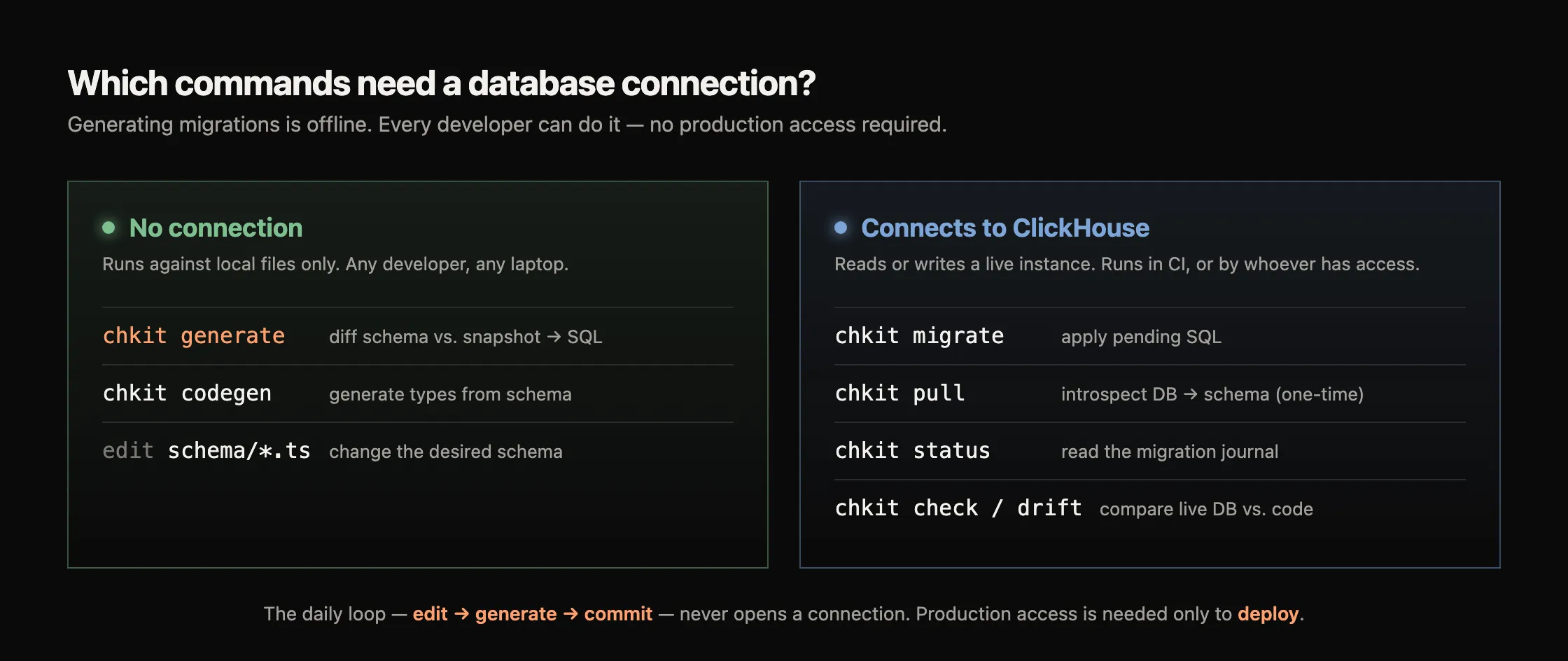
Section titled “Connection requirements”Generate migrations from local files without a connection or credentials. Configure a ClickHouse connection to apply migrations or inspect a live database.
| Needs a connection | Offline |
|---|---|
migrate (apply SQL), pull (introspect), status (read journal), check / drift (compare live DB to code) | generate (diff schema vs. snapshot), snapshot rebuild (rewrite the snapshot from schema), codegen (types from schema), editing schema files |
Typical workflow
Section titled “Typical workflow”chkit init # scaffold config + example schemachkit generate # diff schema → produce migration SQL + snapshotchkit migrate # apply pending migrations to ClickHousechkit status # verify migration statechkit check # CI gate: pending, checksums, drift, pluginsGlobal flags
Section titled “Global flags”These flags are available on every command that loads a config file:
| Flag | Type | Default | Description |
|---|---|---|---|
--config <path> | string | clickhouse.config.ts / clickhouse.config.py | Path to the chkit config file |
--json | boolean | false | Emit machine-readable JSON output |
--table <selector> | string | n/a | Narrow some commands to matching tables (exact name or trailing wildcard prefix, e.g. events_*). Effect varies per command: see note below |
--help | boolean | n/a | Show help text |
--version | boolean | n/a | Print CLI version |
The effect of --table depends on the command:
generate,migrate, anddriftuse it to narrow the schema/migration operations they plan or evaluate.checkapplies it only to its drift and plugin checks; the pending-migration and checksum checks still run across all tables, sochkit check --table app.userscan still fail on an unrelated pending migration.status,codegen, andpullaccept the flag but ignore it, sochkit status --table app.usersstill reports unscoped totals.snapshot rebuildrejects it: a rebuild always rewrites the whole snapshot.
Check the command reference before relying on table filtering.
Environment variables
Section titled “Environment variables”These environment variables affect every command:
| Variable | Description |
|---|---|
CHKIT_DEBUG | Set to 1 or true to emit structured debug logging to stderr. Covers config loading, command dispatch, plugin lifecycle hooks, ClickHouse queries with timing, journal operations, and per-command details. |
CHKIT_JOURNAL_TABLE | Override the name of the migration journal table (default _chkit_migrations). See chkit migrate. |
Read debug logs from stderr and --json output from stdout:
CHKIT_DEBUG=1 chkit migrate --apply